The smarter way to take orders
Transform your restaurant with AI Waiter. Customers scan, chat with AI, and order—while you manage everything from one powerful dashboard. No more missed orders, no more confusion.
Menu Items
24 activeMargherita Pizza
34 orders
$14.99Caesar Salad
21 orders
$9.99Grilled Salmon
18 orders
$24.99
Live Orders
4- New
Table 2
1x Caesar Salad
- Preparing
Table 4
1x Margherita Pizza, 1x Cola
- Preparing
Table 5
2x Grilled Salmon, 2x White wine
- Ready
Table 7
2x Margherita Pizza, 2x Tiramisu
Today's Stats
Order as a guest, in five taps
Click through what your guests see: scanning, the menu, the AI waiter, paying and the ticket in the kitchen.
The guest scans the QR code on the table. No app, no account.
This is a replay with a made-up menu: nothing is ordered or paid, and the AI waiter gives a fixed answer here.
Scan the code on the table
With the phone's regular camera
Everything you need to modernize your restaurant
From your menu to payments, AI Waiter handles it all. Built for restaurants, perfected with AI.
AI Menu Import
Upload a photo or PDF of your menu—or several files at once—and AI turns it into dishes with prices, descriptions and any allergens your menu lists. A second AI pass double-checks the result, and dishes already on your menu are flagged before you add anything.
AI Dish Photos & Descriptions
Generate a photo for any dish, with optional wishes for the style, and save it to the dish straight away. Let AI polish an existing description or write a new one.
QR Code Menus
Generate unique QR codes for each table. Guests scan and scroll through your whole menu, jump between categories, and see the allergens for each dish—no app download required.
AI Chat Ordering
Let customers order through natural conversation. Our AI handles customizations, only repeats the allergens you declared, and refers allergy questions to your staff.
Powerful Dashboard
Manage your menu and its categories, set opening hours, pause orders with one switch when the kitchen closes, and track orders in real time.
Printable Menu
Export your menu as a printable PDF in four styles—Classic, Modern, Elegant or Chalkboard—in your brand colour, with one copy per table carrying that table's QR code.
Seamless Payments
AI Waiter is integrated with Stripe. Customers pay directly from their phone with iDEAL, card or Apple Pay, and the money goes straight to your own Stripe account.
Real-time Notifications
Instant alerts for new orders, ready pickups, and special requests. Never miss an order again.
Analytics & Insights
Understand your bestsellers, peak hours, and customer preferences with detailed analytics.
Up and running in minutes
Getting started with AI Waiter is simple. Here's how you transform your restaurant experience.
Set Up Your Menu
Sign up and upload a photo or PDF of your current menu. AI reads your dishes, prices and any listed allergens, double-checks them, and you choose which ones to add.
- Import your menu with AI
- AI photos & descriptions per dish
- Organize dishes into categories

Generate QR Codes
Create unique QR codes for each table in your restaurant. Print them or display them digitally—your choice.
- Unique code per table
- Customizable designs
- Track which table ordered
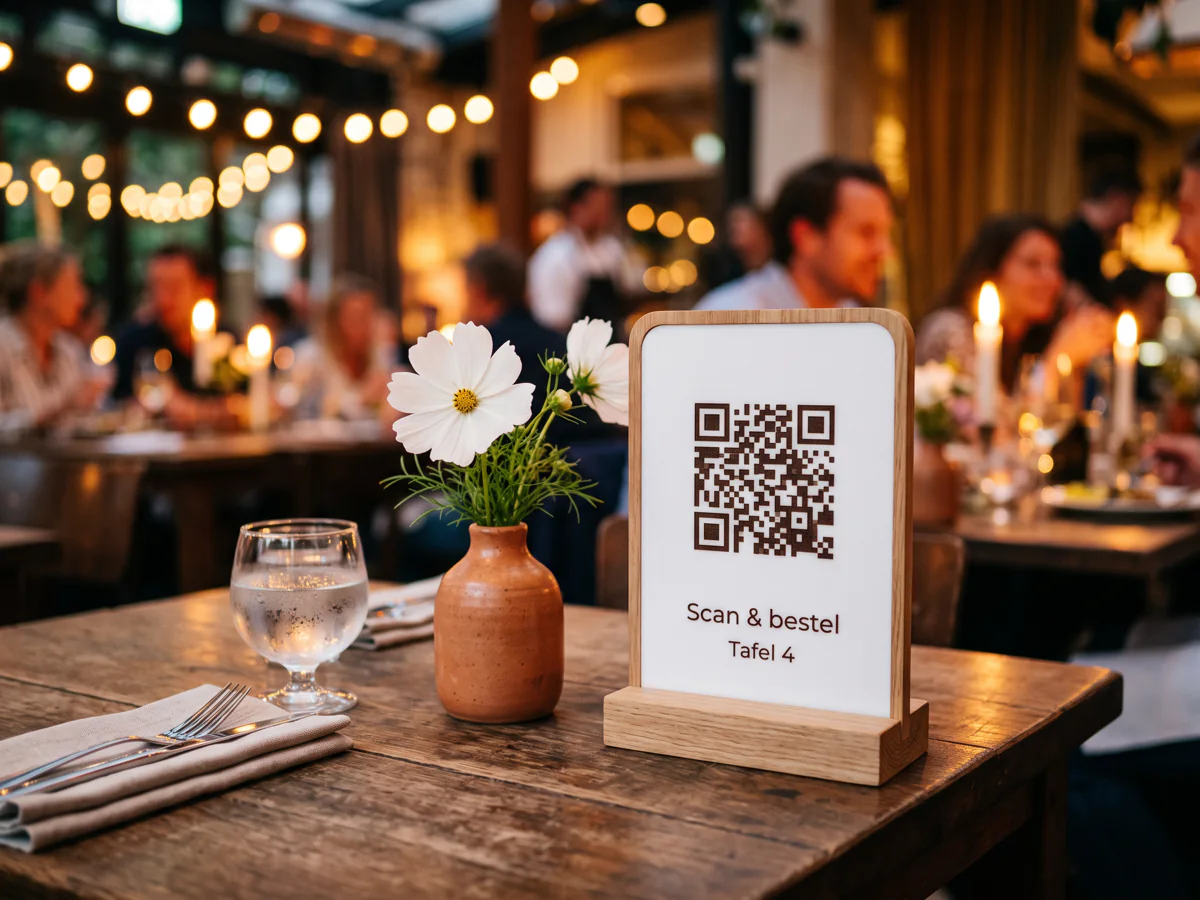
Customers Order
Diners scan the code and either browse the menu directly or chat with our AI assistant to place their order.
- No app download needed
- Scroll the menu, jump by category
- Pay via Stripe (iDEAL, card & more)
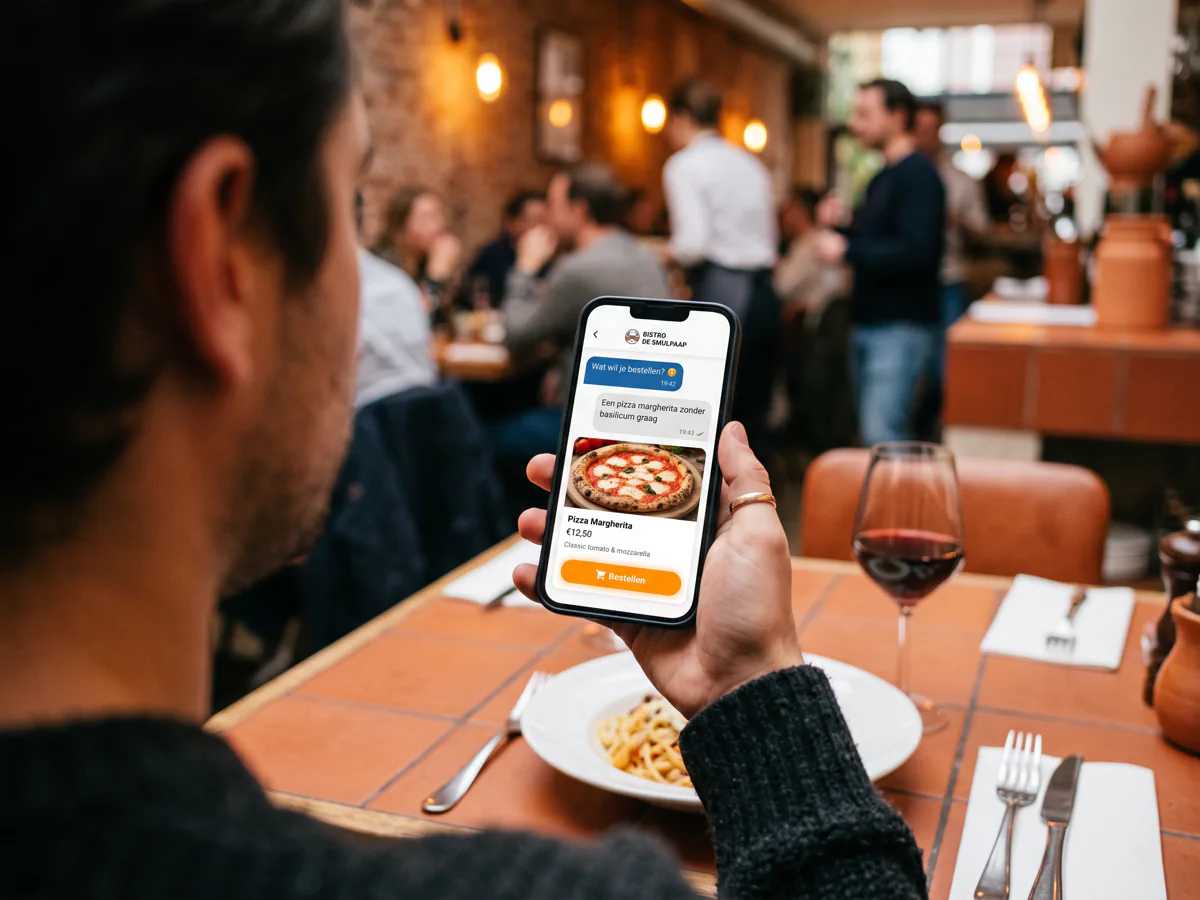
Fulfill & Track
Orders appear instantly on your dashboard. Manage preparation, notify customers, and track everything in real-time.
- Real-time order tracking
- Kitchen display system
- Customer notifications
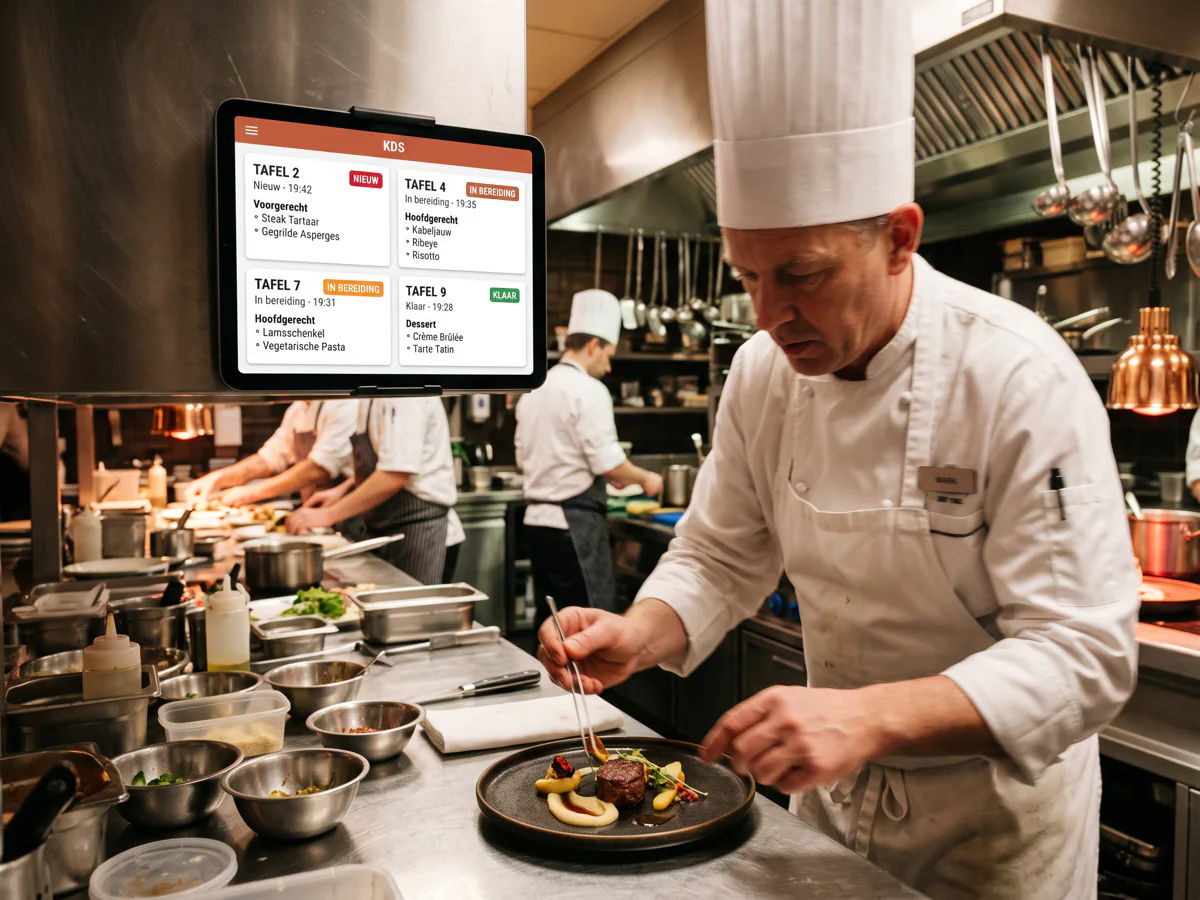
Your order tickets, live on an iPad in the kitchen
No ticket printer or POS needed. Put an iPad or Android tablet on the pass and every order appears straight away as a ticket, per table.
Paired in two minutes
- 1
Add a screen
In your dashboard under Menu → Screens → Add screen. You get a QR code.
- 2
Scan it with the iPad
Point the iPad's camera at the QR code. The kitchen screen opens and is paired right away. Can't scan? Open the pairing link on the iPad and type the 6-digit code it shows into your dashboard.
- 3
Tickets arrive live
With a sound for every new order. Tap Start, Ready and Complete to move a ticket along.
- Runs in the browser of any recent iPad or Android tablet, no app needed
- The screen stays on while the kitchen screen is open
- The tablet only sees orders, not your menu, revenue or settings
- No password on the tablet, and you can unpair it any time from your dashboard
Integrated with Stripe
AI Waiter is integrated with Stripe, one of the world's largest payment platforms. Guests pay for their order right away and the money goes straight to you.
- 01
Connect Stripe from your dashboard
Under Settings, create your own Stripe account in just a few minutes. Stripe verifies your business details — then you can start accepting payments.
- 02
Guests pay via Stripe
After ordering, guests pay on a secure Stripe payment page, with options like iDEAL, card, Apple Pay or Google Pay.
- 03
The money goes to your account
Payments land directly in your Stripe account and are paid out to your bank account on your Stripe payout schedule.
Your own Stripe account
AI Waiter uses Stripe Connect. You are the merchant and receive the money yourself — AI Waiter doesn't hold your revenue.
All popular payment methods
Including iDEAL, card, Apple Pay and Google Pay. You choose which methods to offer in your Stripe settings.
Payouts under your control
View payments, payouts and your payout schedule in the Stripe dashboard, opened directly from AI Waiter.
Secure and PCI compliant
Card details go straight to Stripe and never reach AI Waiter or your restaurant.
What does accepting payments through AI Waiter cost?
AI Waiter deducts a 2% platform fee per guest payment, with a minimum of €0.50. This is settled automatically via Stripe — the guest simply pays the order amount. Standard Stripe processing fees apply on top. Your AI Waiter subscription is also billed via Stripe; you'll find your invoices in your dashboard.
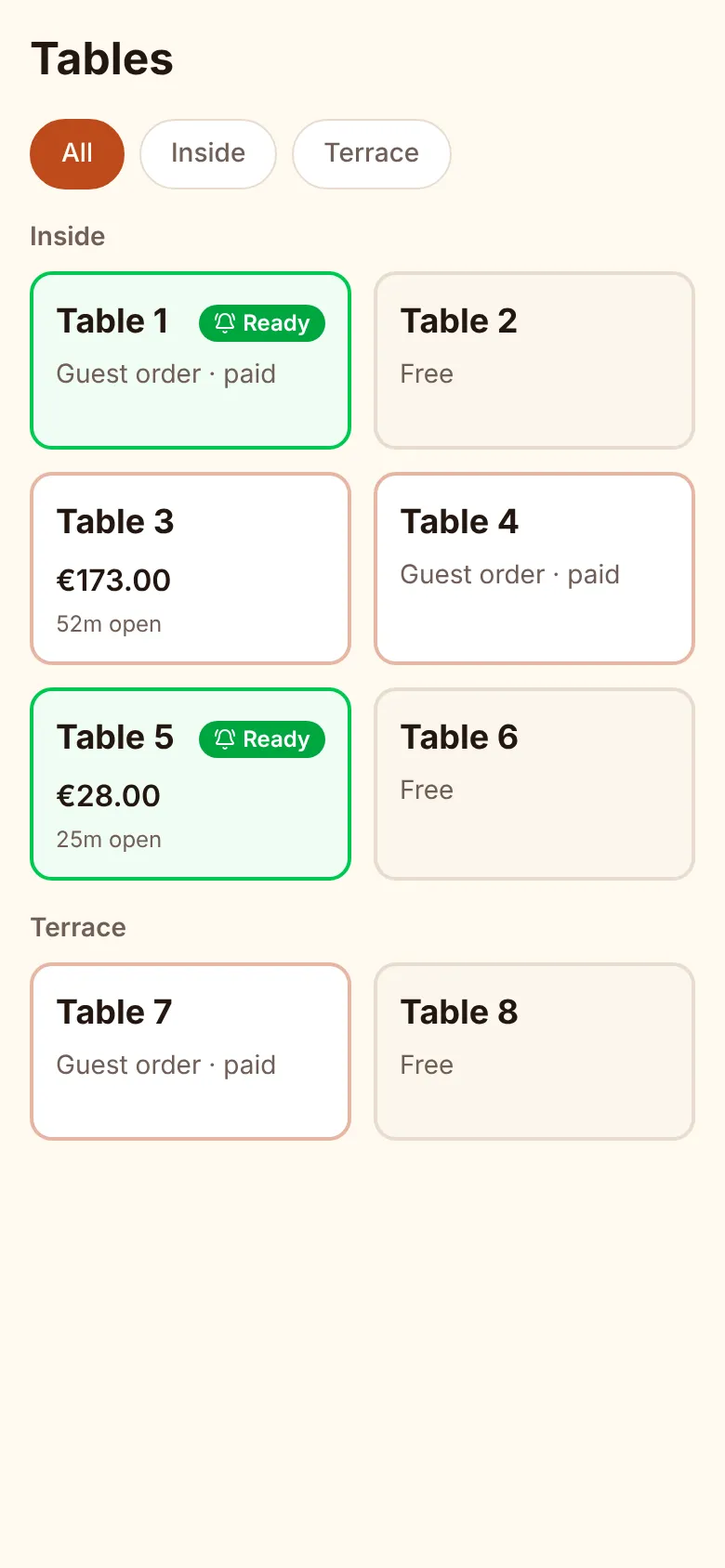
Your waiters order too, on their own phone
Not every guest wants to order themselves. Your staff take orders on a phone: the order goes straight to the kitchen and onto the table’s tab.
Included in Professional
Every table at a glance
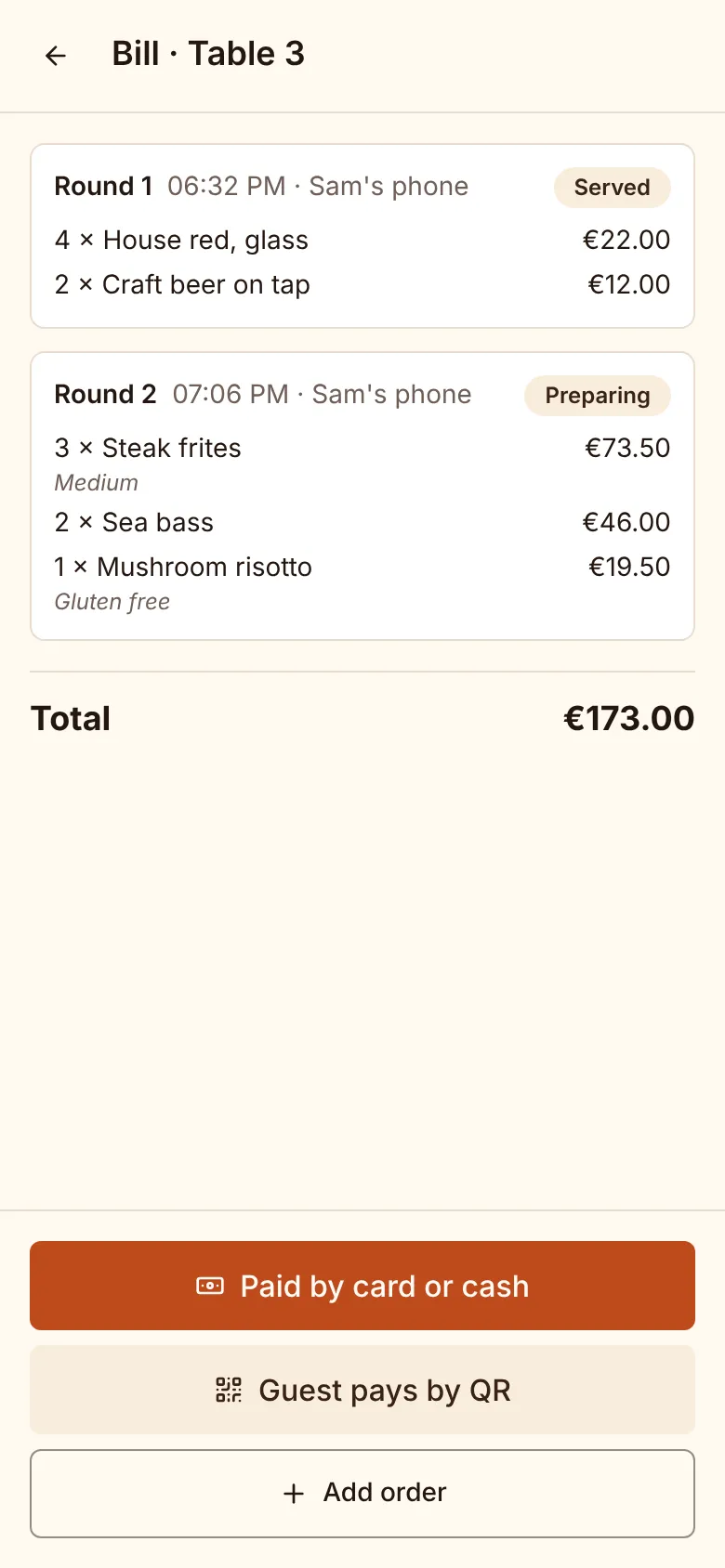
A list or your own floor plan, per area. See which tables are busy, how long their tab has been open and what is ready.
Orders go straight to the kitchen
Pick the dishes, add options and a note, and tap “Send to kitchen”. No paper ticket, no walking: it is on the kitchen display at once.
Rounds on the table’s tab
Each order is a round on the table’s tab, with the status of every dish. Guests pay it all at the end.
Settle the way the guest likes
With your own card terminal or cash, and the waiter marks the tab paid. Or the guest scans a QR code on the waiter’s phone and pays online.
Simple, transparent pricing
Start free, upgrade when you're ready. Paid plans are billed monthly and can be cancelled with one month's notice. A 2% platform fee (min. €0.50) applies to guest payments via Stripe.
Free
Get started with the basics
- 1 restaurant
- Up to 50 menu items
- Unlimited orders
- Basic menu management
- AI menu import
- QR code generation
- 2% commission per online payment
- Community support
Starter
Ideal for small restaurants just getting started
- 1 restaurant
- Unlimited menu items
- Unlimited orders
- Everything in Free
- AI waiter for your guests
- AI photos of your dishes
- Basic order management
- QR code generation
- Email support
- Standard analytics
- 2% commission per online payment
Professional
Advanced features for growing restaurants
- 3 restaurants
- Unlimited menu items
- Unlimited orders
- No commission
- Everything in Starter
- Waiter ordering and table tabs
- Advanced order management
- Support for multiple restaurants
- Priority support
- Advanced analytics
- Custom branding
Frequently asked questions
Everything you need to know about AI Waiter. Can't find an answer? Contact our team.
How long does it take to set up AI Waiter?
Most restaurants are up and running within an hour. Simply sign up, import your menu from a photo or PDF with AI (or add dishes by hand), generate your QR codes, and you're ready to go. Our onboarding wizard guides you through every step.
Can I import my existing menu?
Yes. Upload a photo or PDF of your menu—several files at once is fine. AI reads the dishes, prices, descriptions and any allergens your menu lists, then checks its own work in a second pass and notes anything that doesn't match. Dishes already on your AI Waiter menu are flagged, and you pick which dishes to add.
Do my customers need to download an app?
No! AI Waiter works entirely through the web browser. Customers simply scan your QR code and start browsing or chatting—no app download required. This removes friction and increases adoption.
How does the AI ordering assistant work?
Our AI assistant understands natural language, so customers can order conversationally—just like talking to a waiter. They can ask about dishes, request modifications ('no onions on the burger'), and place orders all through chat. For allergens, it only repeats what you declared on the menu and points guests to your staff for allergy questions.
Can guests see when we are closed?
Yes. Set opening hours per restaurant in the dashboard, and switch off 'Taking orders' when the kitchen closes early. Guests can still browse the menu, but they see a notice and can't place an order. Outside your opening hours, the notice also says when you take orders again.
Does the kitchen screen work on an iPad?
Yes. The kitchen screen runs in the browser of any recent iPad or Android tablet, so you don't need an app or a ticket printer. In your dashboard choose Menu → Screens → Add screen and scan the QR code with the iPad's camera; the screen is paired right away. New orders arrive live with a sound and the screen stays on during service. The tablet only sees that restaurant's orders, not your menu, revenue or settings.
What payment methods do you support?
AI Waiter is integrated with Stripe. Customers pay from their phone on a secure Stripe payment page, with options like iDEAL, card, Apple Pay and Google Pay. You choose which methods to offer in your Stripe settings.
How does the Stripe integration work?
From the AI Waiter dashboard (Settings) you create your own Stripe account via Stripe Connect. Stripe verifies your business details, after which payments go directly to that account. Payouts to your bank account follow your Stripe payout schedule, and you manage them in the Stripe dashboard, which you open from AI Waiter.
What does it cost to accept payments?
AI Waiter deducts a 2% platform fee per guest payment (minimum €0.50), settled automatically via Stripe. The guest simply pays the order amount. Standard Stripe processing fees apply on top. This is separate from your AI Waiter subscription.
Can I customize the look to match my restaurant's brand?
Yes! The Professional plan includes custom branding options. You can add your logo and customize colors, so the digital experience feels like an extension of your restaurant.
What happens if I need help?
We offer email support on all plans, with priority support on Professional. Email us at support@meino.io and we will help you get the most out of AI Waiter.
Is there a contract or commitment?
Paid plans are billed monthly. You can cancel at the end of any monthly term with one month's notice, as set out in our terms of service. The free plan needs no credit card. Paid plans start with a 30-day free trial (a card is needed to start it) so you can see if AI Waiter is right for you.
Can my staff take orders too?
Yes, with the waiter phone (Professional). The waiter picks a table and orders; the order goes straight to the kitchen and onto the table’s tab as a round. The tab is settled by card or cash, or the guest scans a QR code and pays online.
Does AI Waiter work with my till?
AI Waiter works next to your till: it takes orders and lets guests pay online, but it is not a till system and has no standard integration. You keep using your till and card terminal.
Can guests order by voice?
Guests can talk to the AI waiter and have its answers read aloud. Placing an order always takes a tap from the guest, never their voice alone.
All questions, with full answers
Ready to transform your restaurant?
Let guests order and pay from their phone while you run everything from one dashboard. Start on the free plan, or try a paid plan free for 30 days.